Licences & Software
All Microsoft licences from a single source – simple, secure and reliable.

In one of my recent projects, there was a requirement to optimise communication in the course of isolating users or devices – for example, communication with the affected user, communication with the helpdesk, etc.
We had already created the automations in the form of Logic Apps for isolating a device/user some time ago. Of course, we could have created static text templates, some of which would have had empty columns. Or we could have thrilled users with the message "Your device has been isolated".
AI enables us to make this communication much clearer and adapt it to the specific scenario. The only additional requirement for this was the provision of an Azure Open AI instance.
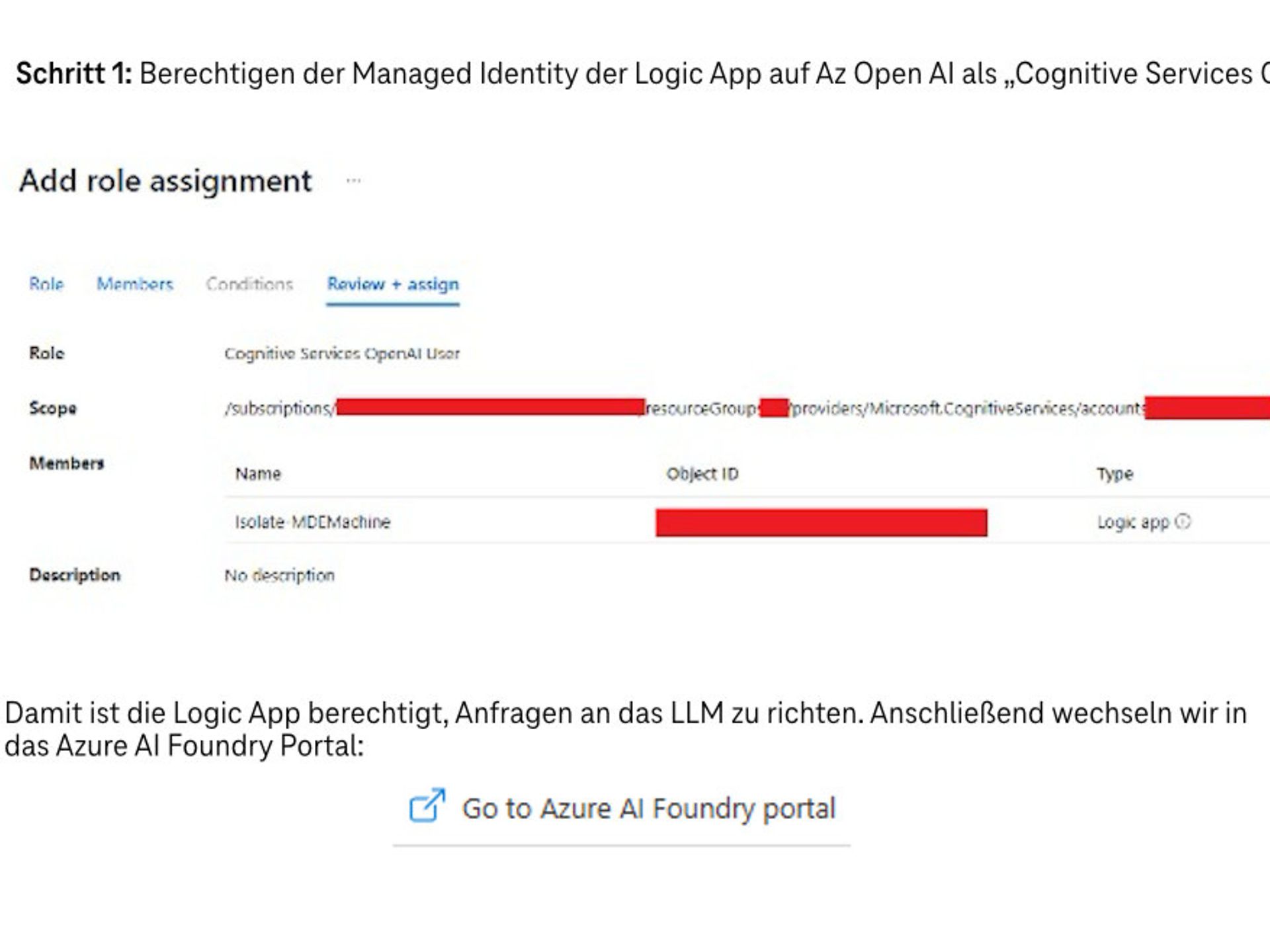
There, we create our model via "Deployments" / "Deploy Model". The dialogue should be similar to the following:
Once deployment is complete, switch to the model and copy the target URI. Now we will add an HTTP connector to our existing Logic App. This will allow us to access our Az Open AI model from within the Logic App.
You can use the following as a body:
{
"max_tokens": 4096,
"messages": [ { "content": "You are an employee in the SOC. You analyse, process and resolve incidents. Your focus is on communication with the end user.",
"role": "system"
},
{ "content": "Using the following incident information %Dynamic Content from Incident%, generate a very brief, concise technical description to inform the affected end user that their device will be isolated due to this incident. The end user does not need to contact IT support.",
"role": "user"
}
],
"temperature": 0.8,
"top_p": 0.95
}
In the "role:System" section, we describe the role that the AI should play in this case. In the "role:user" section, on the other hand, we describe the specific task. In the next step, we now use the Logic App function "Parse JSON" to break down the HTTP response.
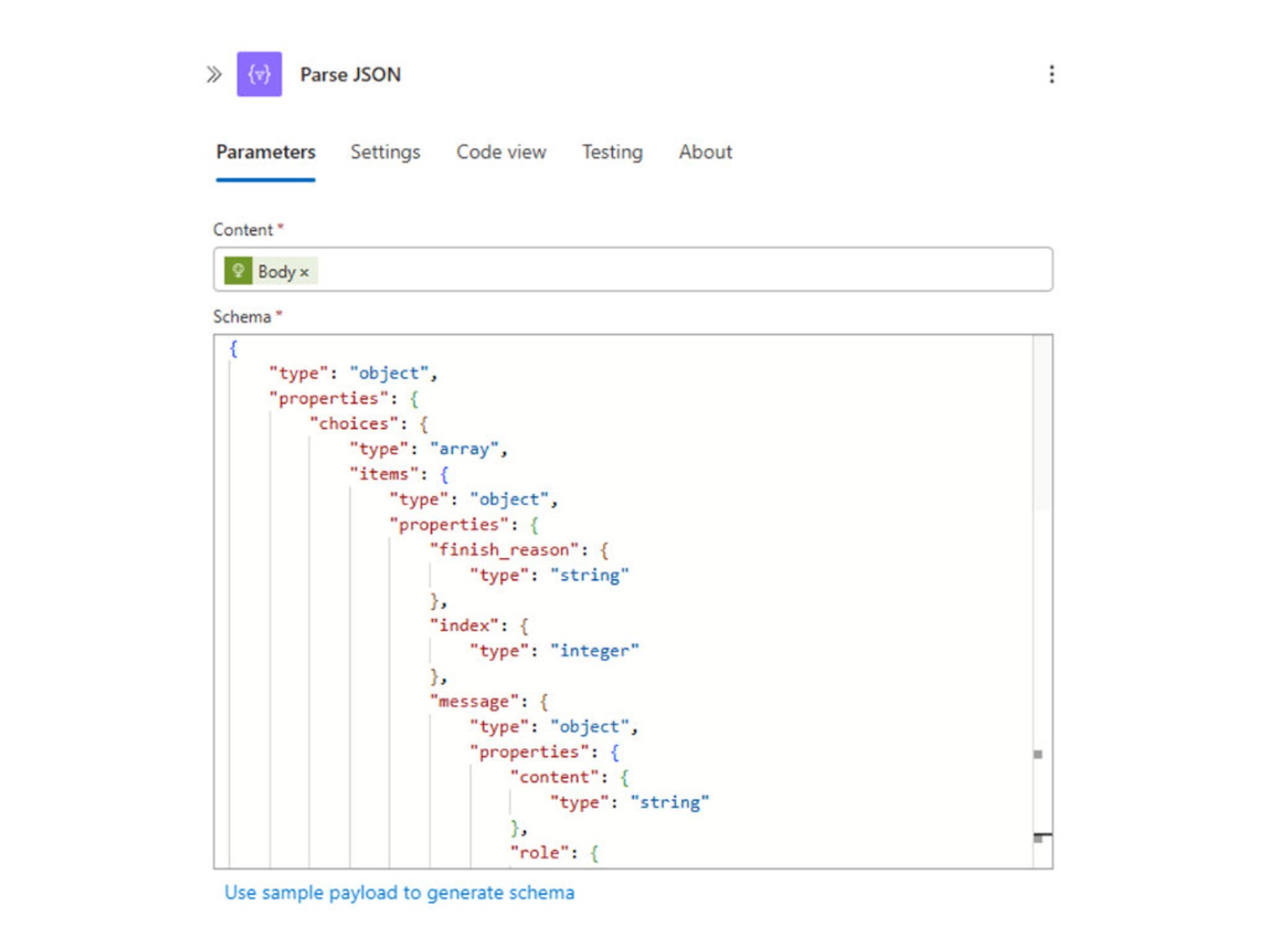
The easiest way to obtain the schema is to import the HTTP response from a run via "Use sample payload to generate schema". Now we just need to inform the user(s). To do this, we need to perform two actions: first, create the chat and then post a message.
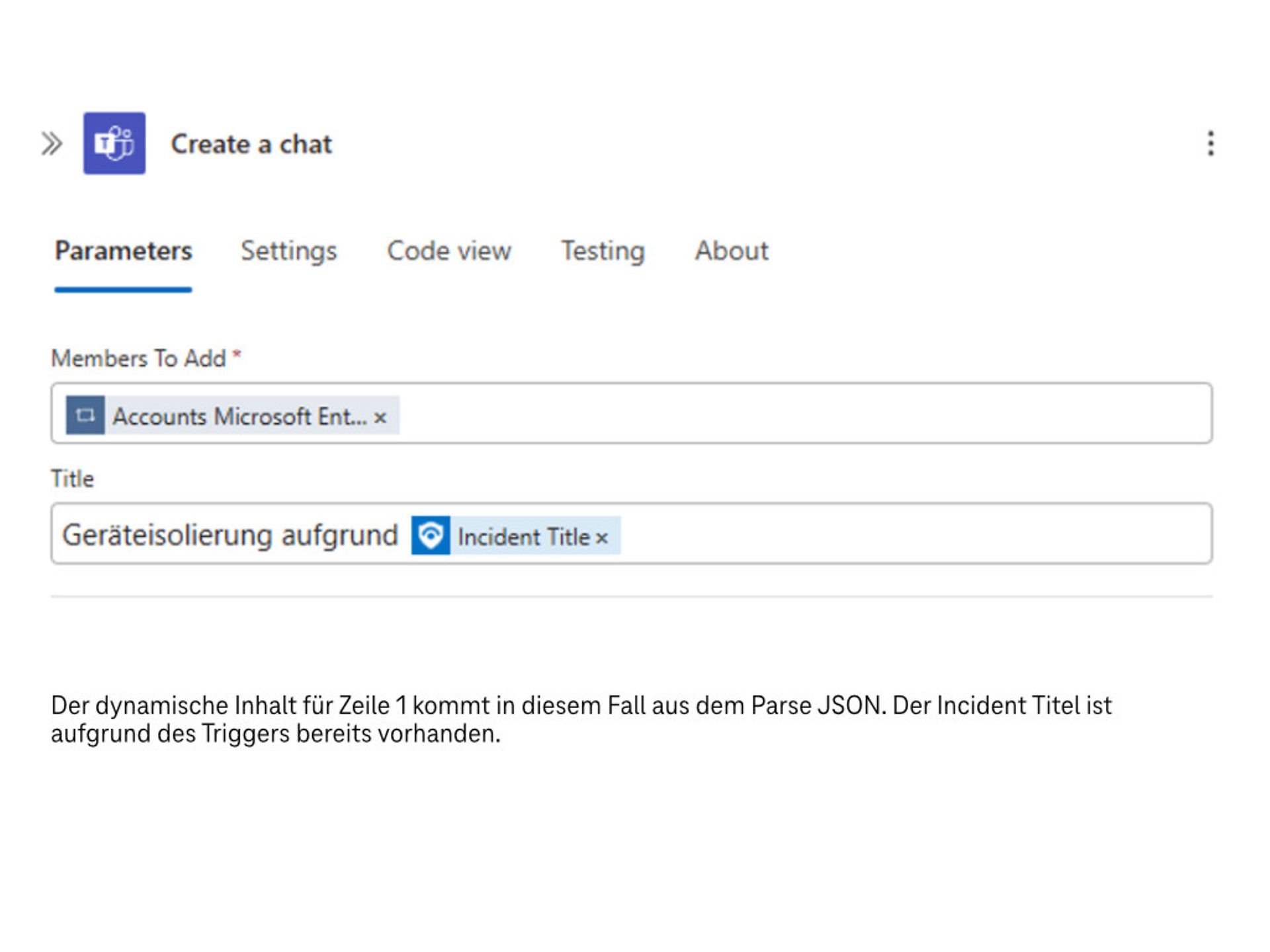
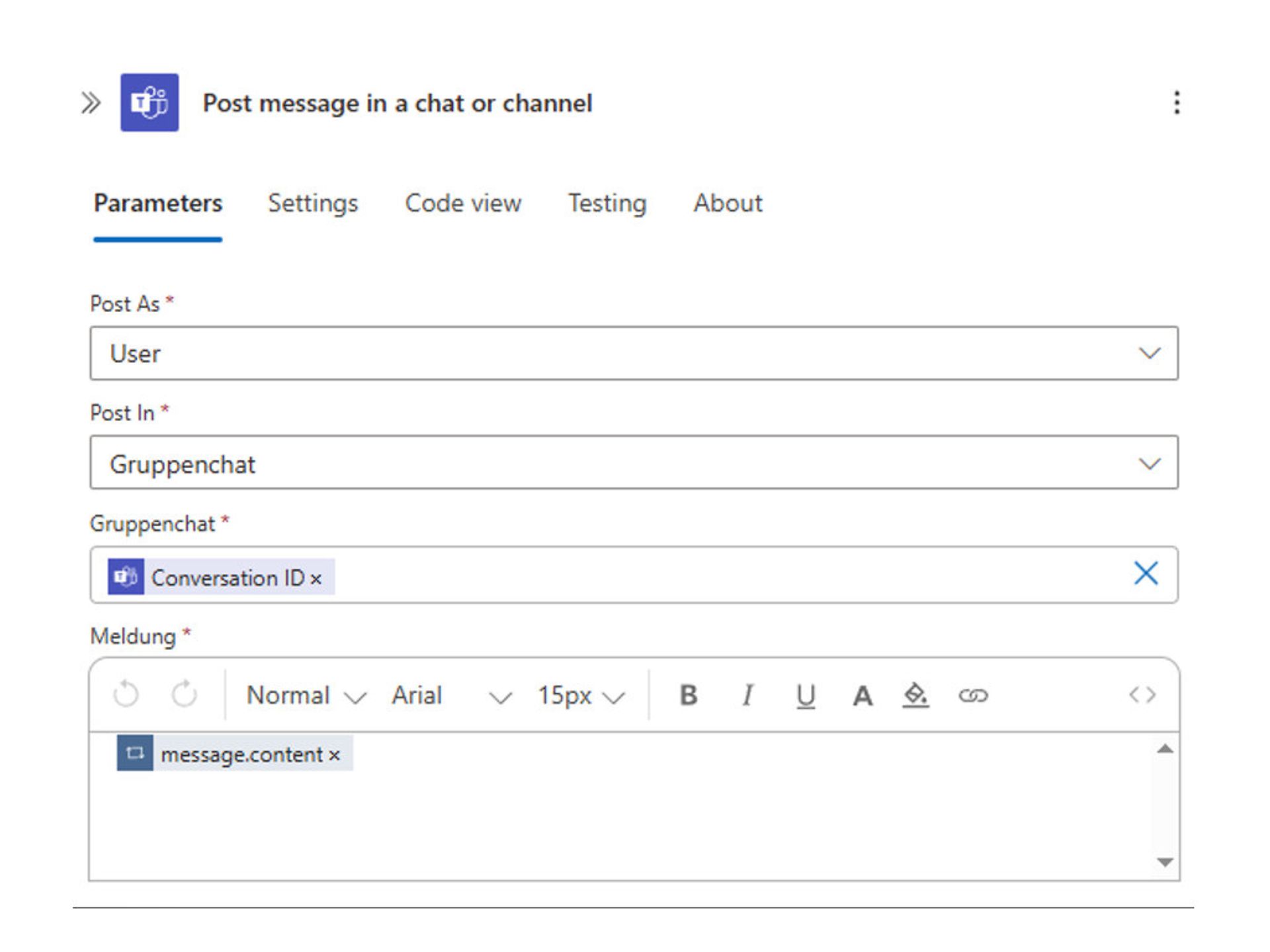
In the second step, the message is written in the chat.
The relevant part of your Logic App should now look like this:
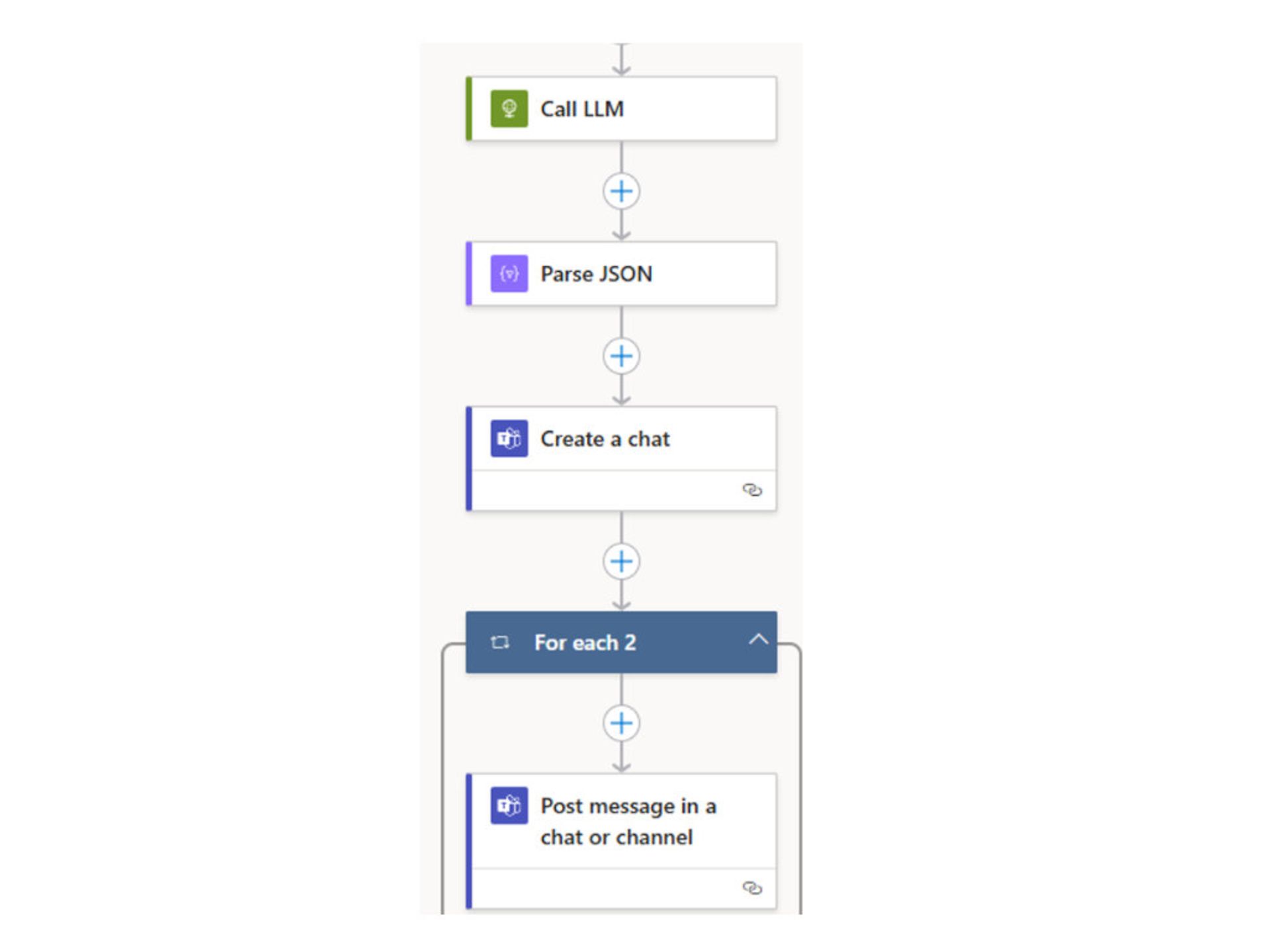
And that's all there is to it. With this simple solution, we can inform end users, help desks, etc. about the isolation of the machine with a comprehensible text that is reduced to the essentials. In one of the next posts, I will discuss further use cases, such as interacting with end users, generating KQL queries, and much more.
All Microsoft licences from a single source – simple, secure and reliable.
Certified experts support you with tailor-made solutions for your business.
We are always there for you: quick assistance, personal support – at no extra cost.
ISG and Microsoft-certified services for maximum security and reliability.
