
How to find your products in the Telekom Cloud Marketplace
To make changes to your subscriptions yourself, you must log in the Telekom Cloud Marketplace with an authorised account (the user should have the role of billing administrator or company administrator in your account).
You can find your booked subscriptions and products in the Telekom Cloud Marketplace under My Account | Products. Depending on where you are in the marketplace, there are two ways to access the My Account area:
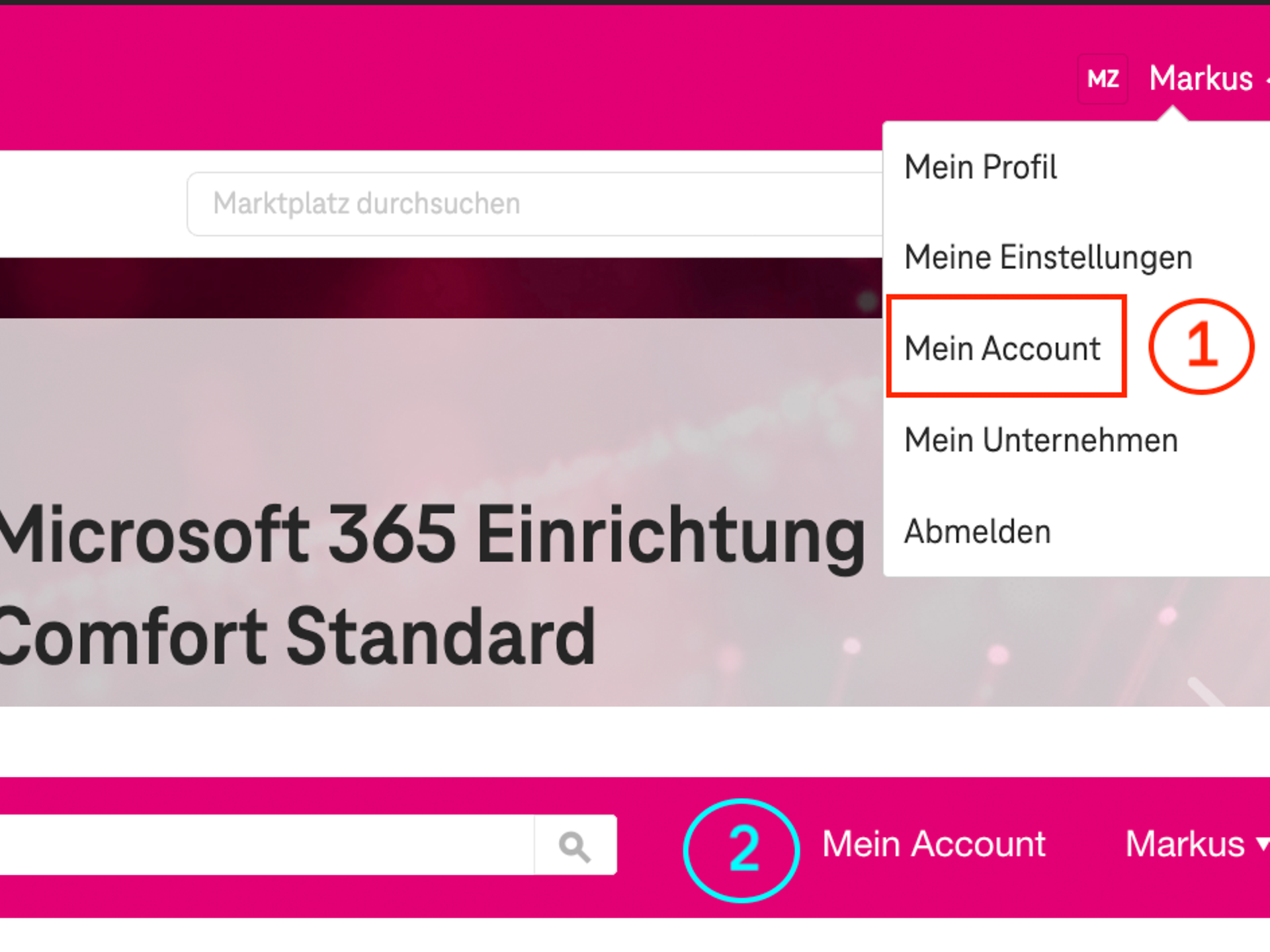
- Click on your name in the top right corner of the navigation bar and select My Account (1).
- Click on My Account (2) in the top right-hand corner of the navigation bar.
In the sub-navigation that appears, you must switch to the Products tab (3).
All booked products and subscriptions are now listed. Annual contracts with monthly payment terms can be identified by the phrase "minimum contract term of 12 months“.
Simply click on "Update subscription" (4) for the subscription you would like to change, and you can then make the desired changes.
How to change the payment interval for your subscription
You are now in the product view, where you will find all the important information about your booking. This includes your order history, billing interval, contract end date and the date of your next bill. There are various tabs available for your booked product. You can adjust the payment frequency in the "Update subscription" tab (1).
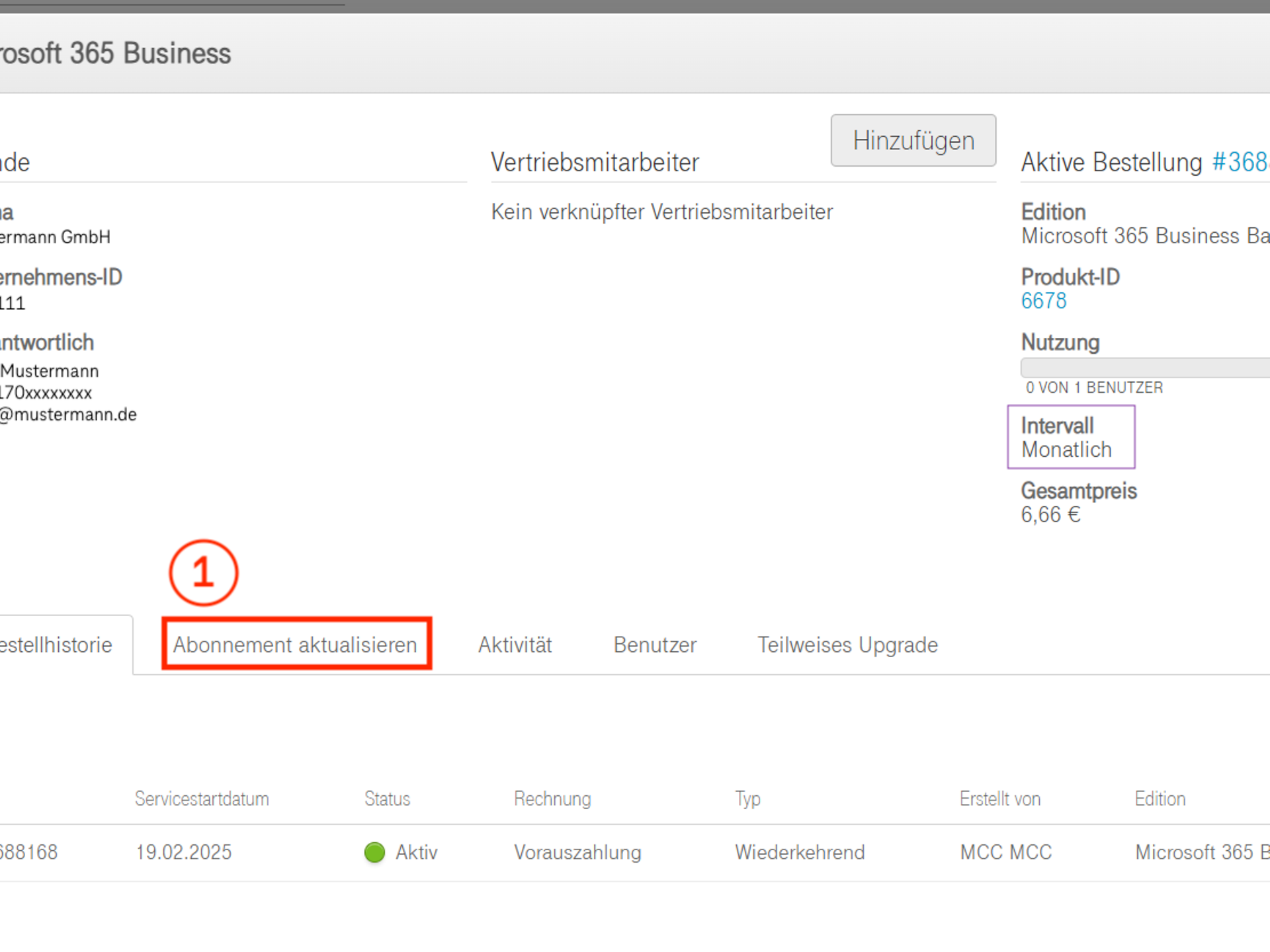
Your booked subscription (2) will then appear below the tab and will already be preselected. You can make changes here.
You can select the payment frequency at the bottom right in the "Select term" section at the bottom right. For annual payments, select the "Annually: 1-year contract" (3).
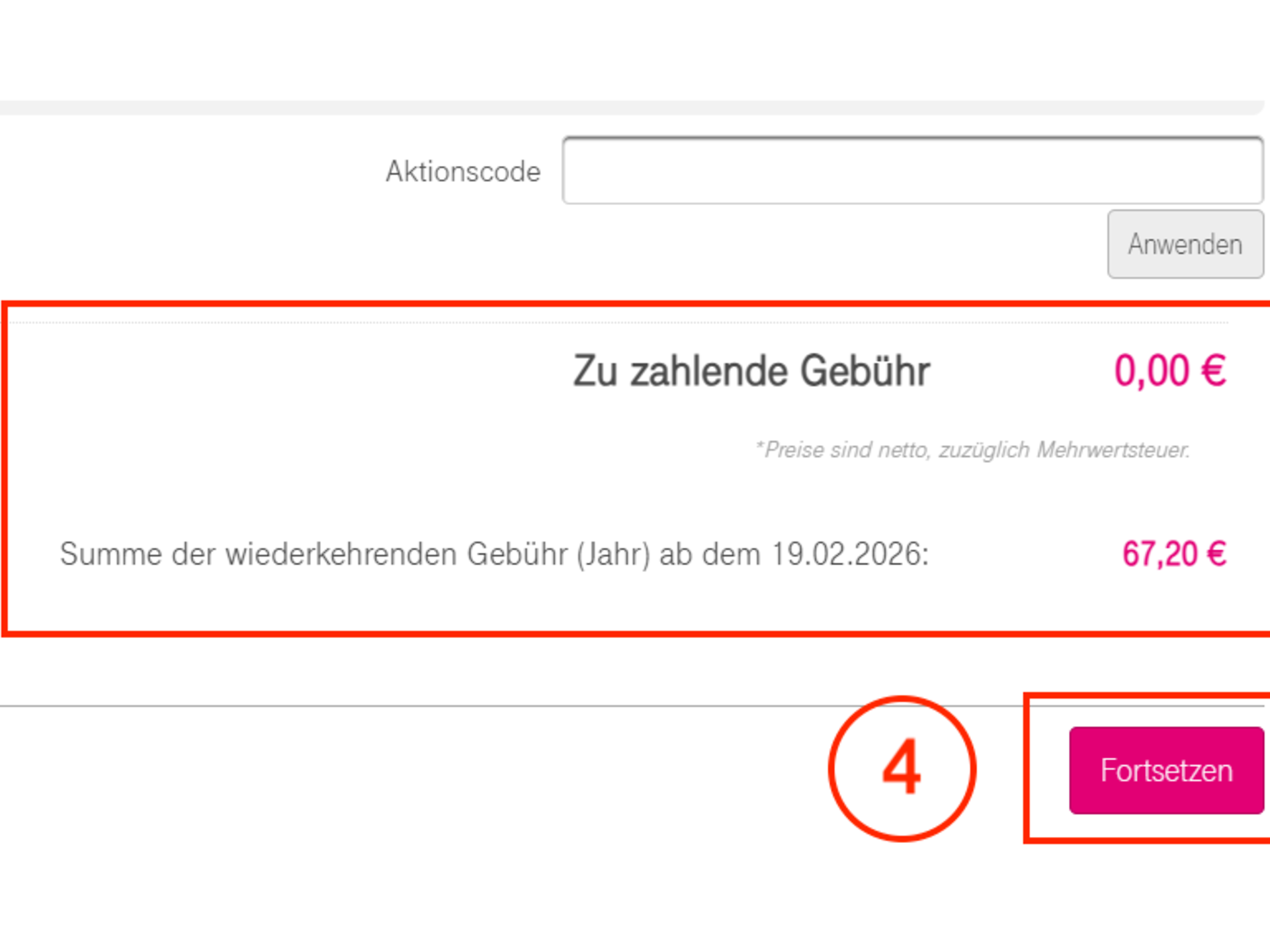
After you have made this change, you will receive a notification that this change will take effect with the next contract renewal (in this example, 19 February 2026).
You can now continue with the update process. To do so, click on "Continue" (4) at the bottom of the page. Above this, you will find information stating that this change will not incur any costs.
Finally, you can check the details of your order once again. Before you submit your changes by clicking on the "Order" button (5), you must confirm the terms and conditions, terms of use and order data processing. This completes the change and it will take effect take effect at the next contract renewal .
Note: If you have already made changes for the next contract renewal at an earlier date (e.g. a reduction in licences), these will be overwritten. To ensure that these changes are also implemented, you must specify them again when changing the payment interval.


