Licences & Software
All Microsoft licences from a single source – simple, secure and reliable.

Conditional access is a key security feature in Microsoft Entra (formerly Azure AD) that dynamically controls access to corporate resources based on user identity, location, device status and other conditions. It enables administrators to define granular policies to minimise risk while maintaining user experience. When configured correctly, conditional access can help prevent unauthorised access, but it requires a good understanding of the impact on user experience and business processes.
I often encounter conditional access policies that are configured as follows to enable MFA for all users.
In reality, the activation status and the appropriate CA policy then look more like this:
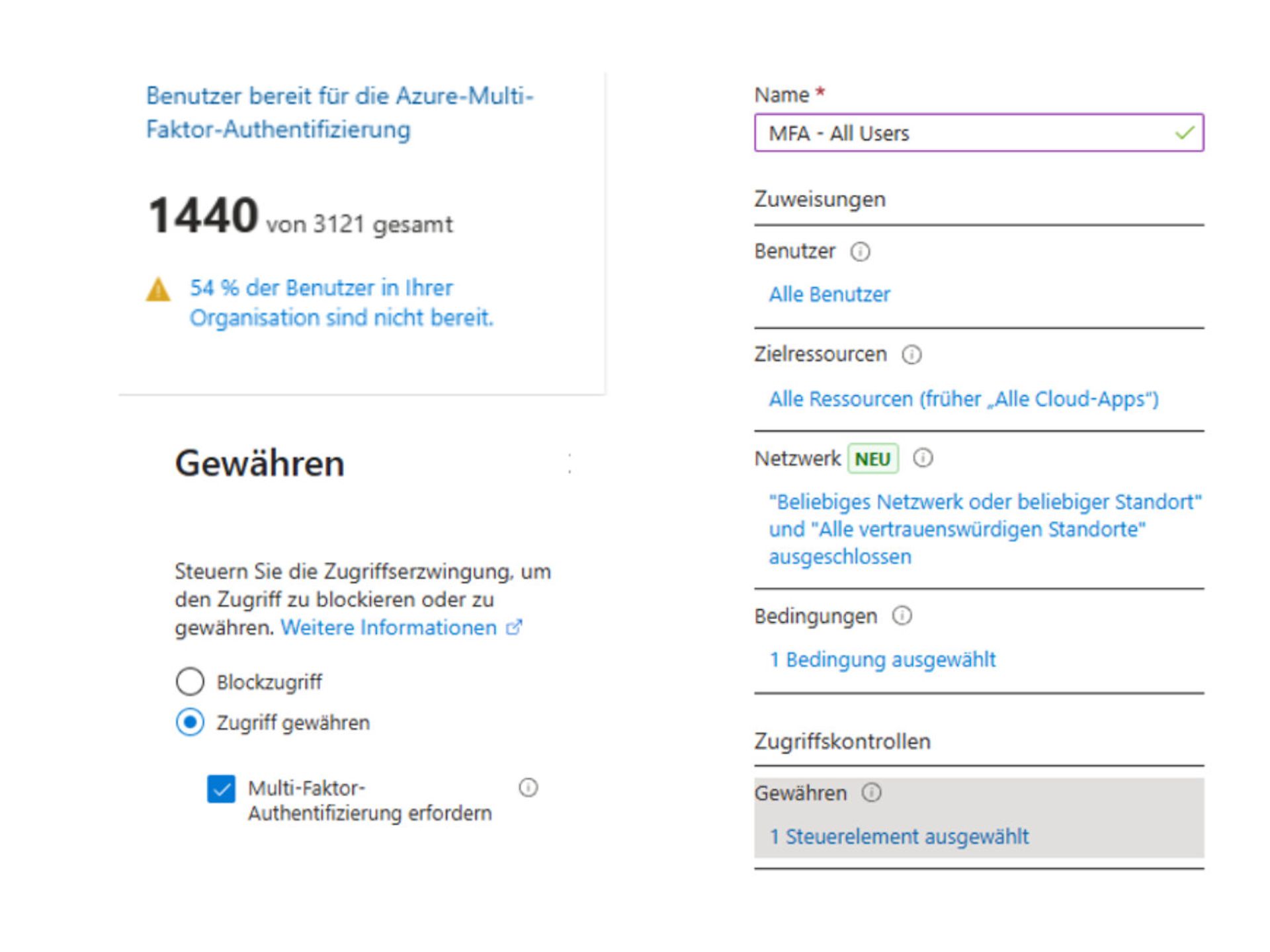
This means that MFA registration does not take place if the user logs in from a "trusted location" (typically the PIPs of the company locations). However, this also means that if an attacker successfully obtains a username and password and then logs in from outside the company, they could successfully complete the MFA registration.
We can help ourselves with another conditional access policy that enforces MFA registration and, in turn, only allows registration from certain locations/compliant devices, etc.
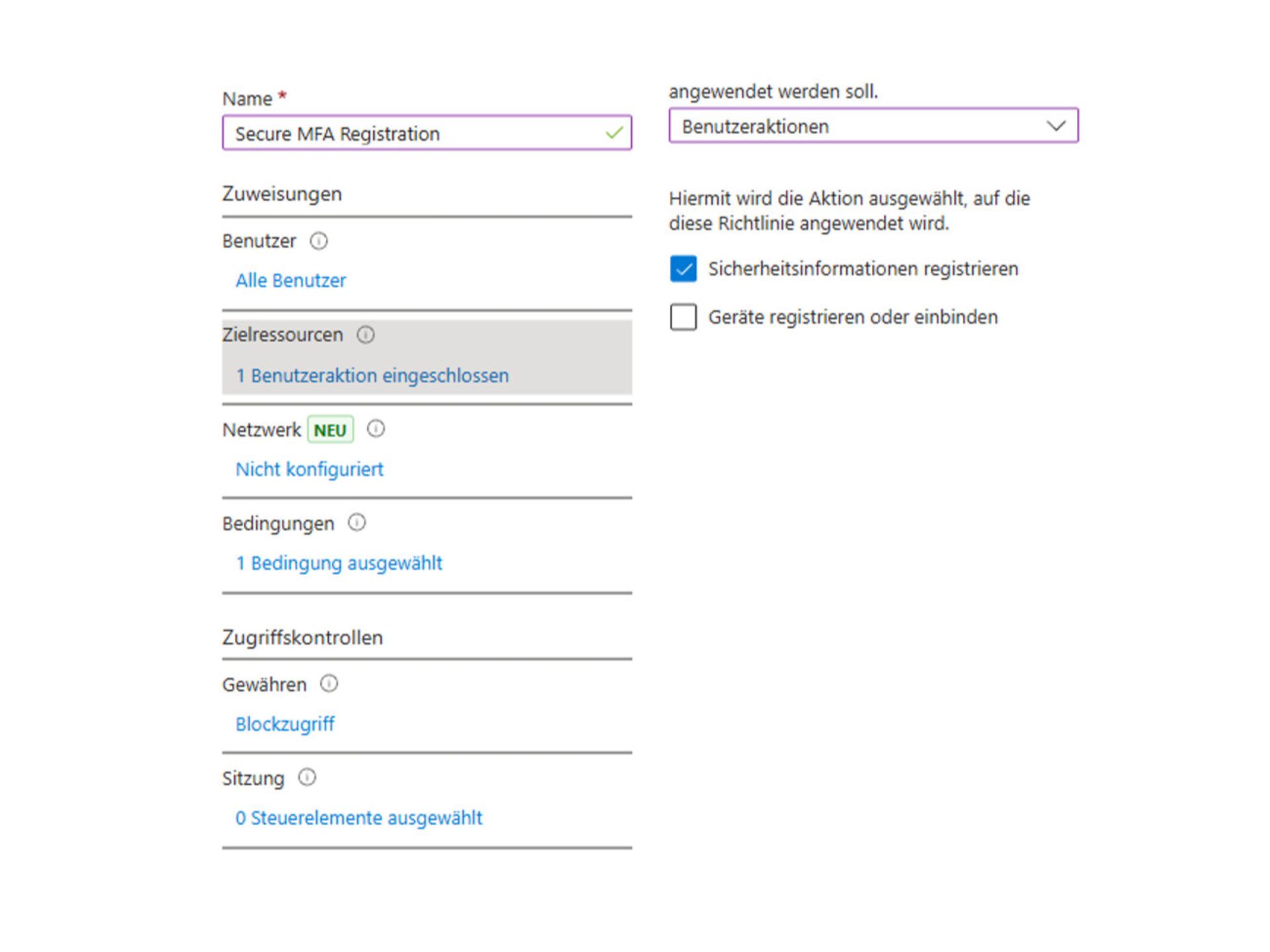
We could now, for example, exclude trusted locations from this policy in order to block MFA registration from outside.
Alternatively, as in this example, we can also use the device filter to block registrations made by non-compliant devices.
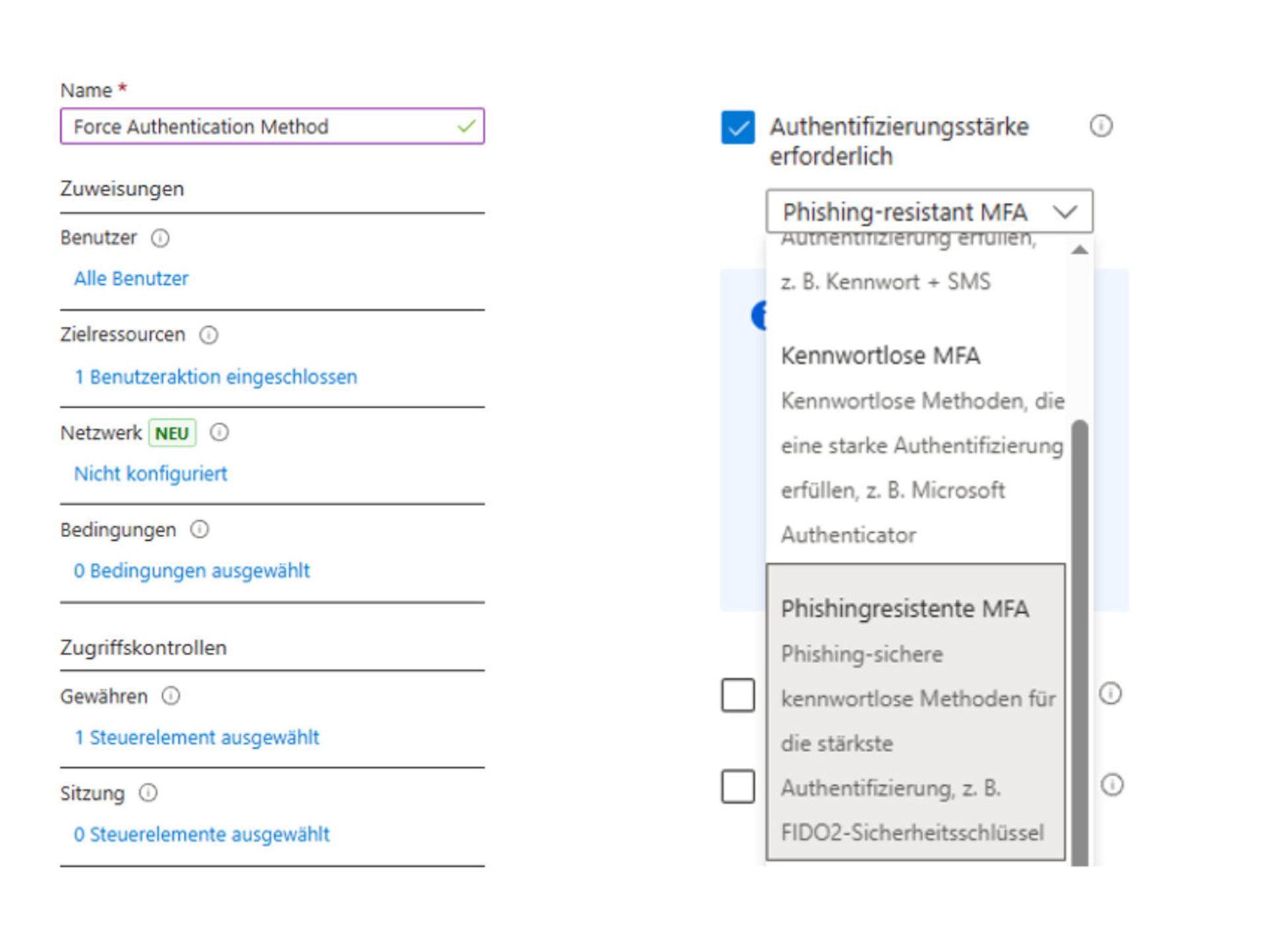
To enforce MFA registration with the desired authentication strength, we create another CA policy.
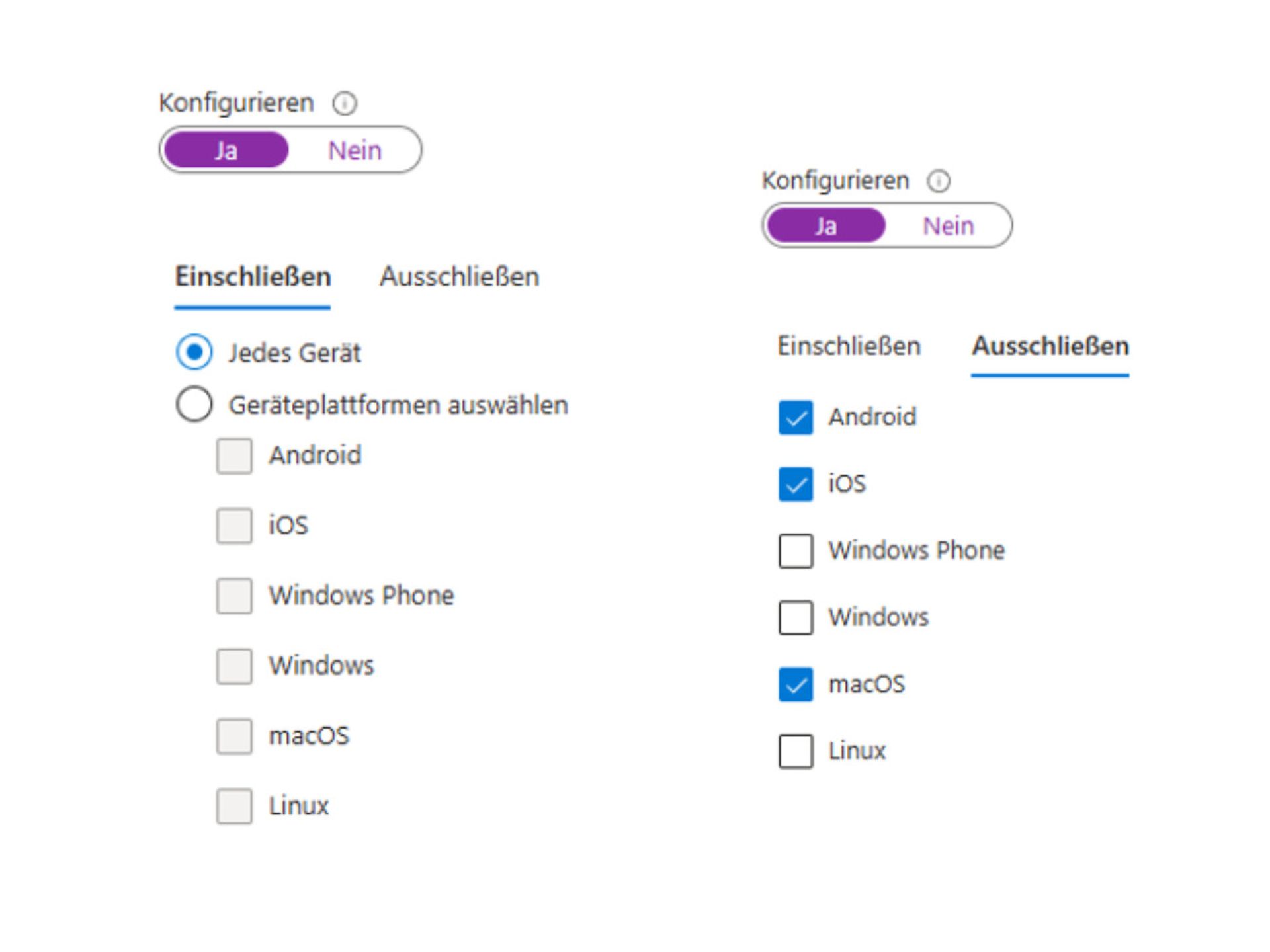
Another recurring pattern is that conditional access policies are often set to 'include' in the context of device platforms.
This means there is one for Windows, one for MacOS, one for Android/iOS, etc., but what happens if the device platform is not specified in the login, or if a new platform is added for which no rule exists?
I therefore recommend implementing a "catch-all" policy. I usually use the policy for Windows devices (compliant and/or hybrid joined) for this purpose. However, instead of configuring an include for Windows in the platforms, I select Every device and explicitly exclude the platforms for which I use separate policies. (Typically iOS / Android / MacOS)
As before, an exception must be made in the CA rules for this, otherwise it remains with Pro.
The "Universal Store Service APIs and Web Application" -AppID 45a330b1-b1ec-4cc1-9161-9f03992aa49f - must be excluded. More information is available here.
In my opinion, the What-If function in Conditional Access is helpful for identifying weaknesses/gaps in your own rules. The Conditional Access Insights Workbook is definitely useful too, and in future, the "Entra Agent for optimising conditional access" will certainly be helpful as well.
All Microsoft licences from a single source – simple, secure and reliable.
Certified experts support you with tailor-made solutions for your business.
We are always there for you: quick assistance, personal support – at no extra cost.
ISG and Microsoft-certified services for maximum security and reliability.
