Copilot für Microsoft 365
Informieren Sie sich zur KI-Lösung und buchen Sie Lizenzen
Discover the best free AI features in Microsoft 365: Learn how to work more productively, optimise your writing, and complete your tasks more efficiently.
AI has the potential to improve numerous aspects of our lives. In the business world, for example, this means automating repetitive tasks, performing more precise analyses and promoting employee creativity. By using AI, companies can increase their efficiency, reduce costs and develop innovative solutions at the same time.
AI features in Microsoft 365 are no longer a vision, but have been a reality for some time. The integration of intelligent assistants and algorithms enables users to complete their work faster and more accurately. Let's take a closer look at the specific AI features that are standard in Microsoft 365 applications such as Word, Excel and PowerPoint.
Are you planning to use Microsoft Copilot or other AI solutions in your company? Telekom, Germany's largest Microsoft partner, supports you no matter what stage of AI implementation you are at – from free consultations to workshops and assessments to implementation support. Get in touch with us and we will find the right solution for you!
AI has the potential to improve numerous aspects of our lives. In the business world, for example, this means automating repetitive tasks, performing more precise analyses and promoting employee creativity. By using AI, companies can increase their efficiency, reduce costs and develop innovative solutions at the same time.
AI features in Microsoft 365 are no longer a vision, but have been a reality for some time. The integration of intelligent assistants and algorithms enables users to complete their work faster and more accurately. Let's take a closer look at the specific AI features that are standard in Microsoft 365 applications such as Word, Excel and PowerPoint.
Microsoft Word has been significantly enhanced through the integration of AI features. These intelligent features help users write more efficiently, improve their texts and work more creatively at the same time. The AI in Word helps in many ways, not only by making it easier to write texts, but also by improving the quality and accuracy of the content.
One of the AI functions is real-time analysis of written text via the integrated editor. As the user types, the AI continuously checks for spelling and grammar errors. It goes far beyond simple corrections, offering stylistic recommendations that can improve the clarity and readability of the text. This makes it easier to create professional and error-free documents, regardless of the original language style or level.
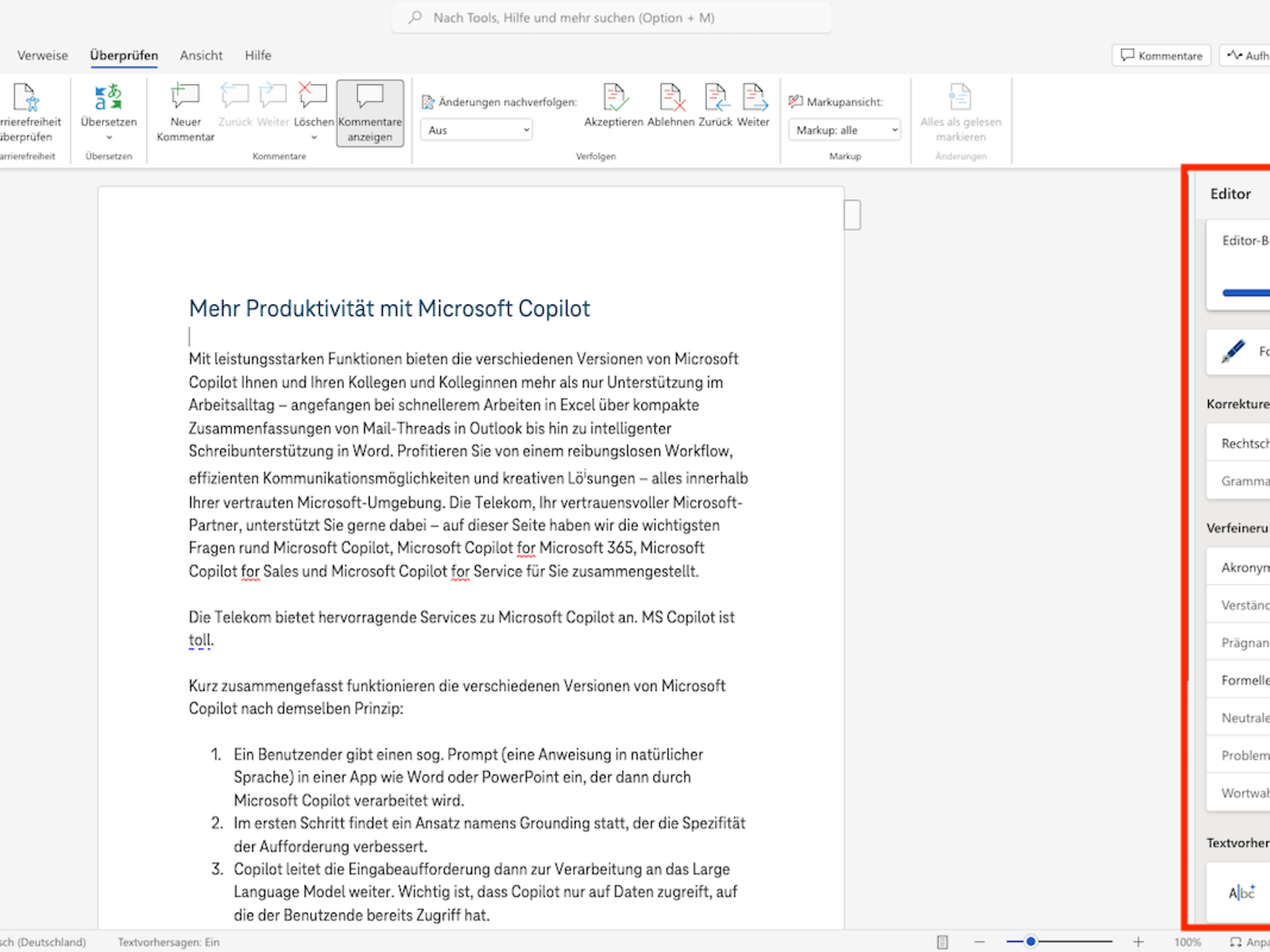
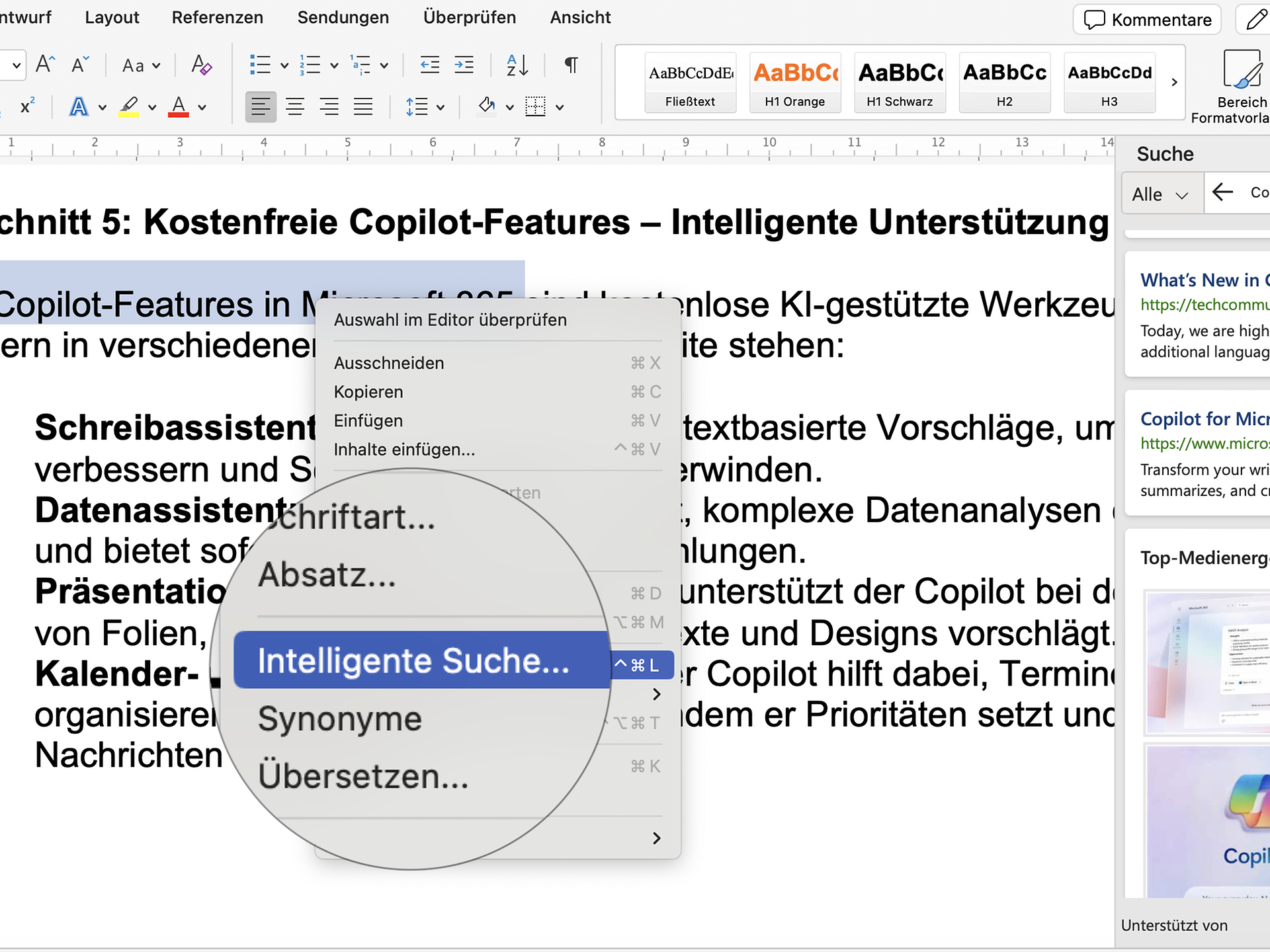
The "Smart Lookup" feature also contributes to efficiency. Instead of having to switch applications to search for information on a specific topic, users can search directly in Word. The AI searches the internet and provides relevant information and sources that can enrich or supplement the text.
The transcription and dictation function is also helpful. This allows spoken words to be converted directly into text, which is particularly useful for people who want to record their thoughts quickly and without interruption.
Overall, it is clear that the AI features in Microsoft Word not only simplify the writing process, but also help to improve the quality and information content of documents.
The integration of artificial intelligence has further increased the potential of Excel. The AI functions in Microsoft Excel open up new possibilities for analysing data more efficiently, making accurate predictions and making complex information easier to understand.
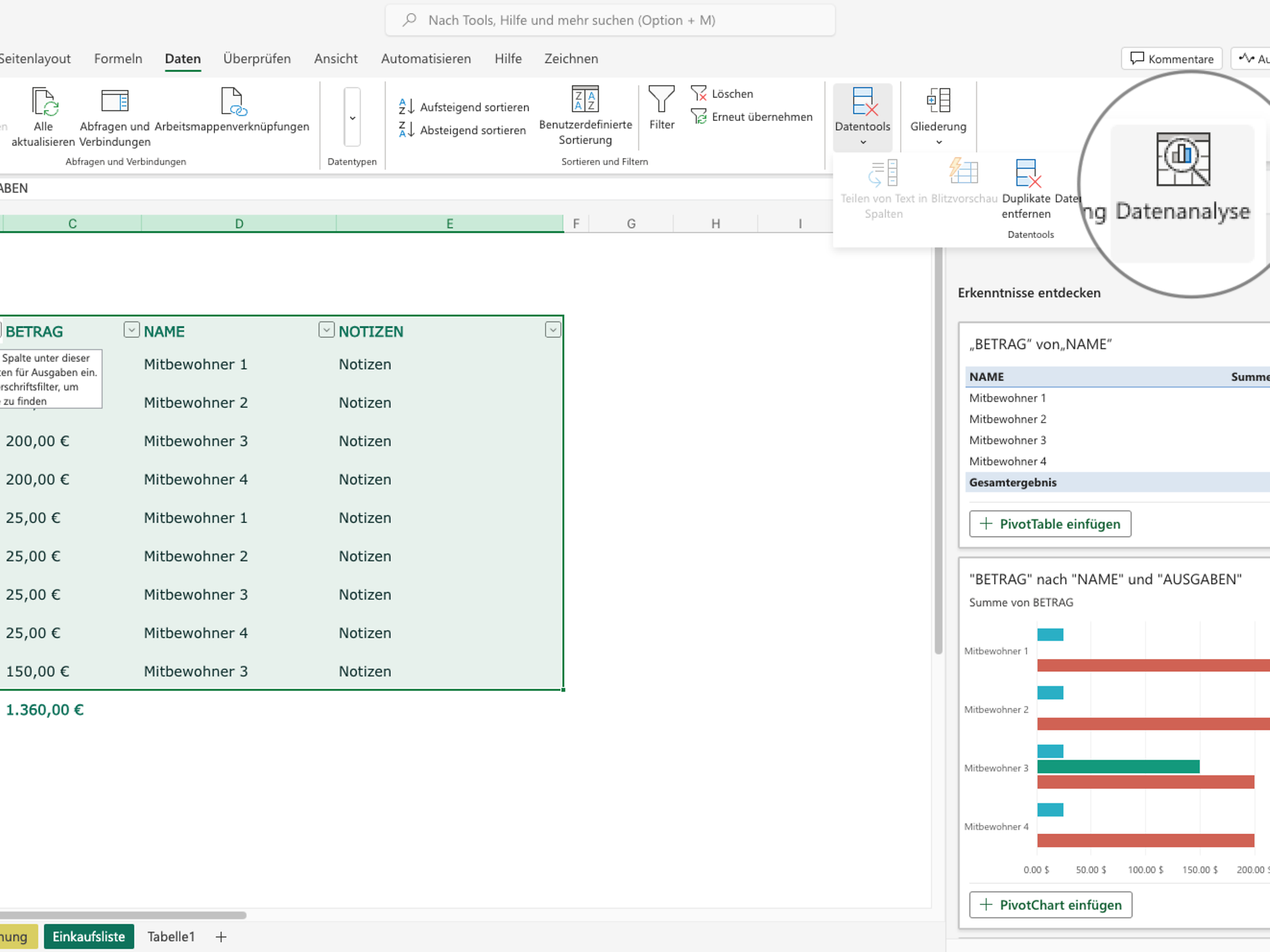
One helpful feature is intelligent data visualisation. With the "Analyse Data" feature, Excel analyses the data entered and automatically suggests various visualisation options. This makes it easier for users to identify patterns and trends in their data and present them effectively without requiring in-depth knowledge of data visualisation.
Another AI feature is automatic data recognition. Excel automatically identifies the type of data entered and applies the appropriate formatting and formulas. This automation significantly increases the accuracy of data processing and saves valuable time, as users need to make fewer manual adjustments.
Excel now also offers advanced forecasting models for planning and decision-making. AI analyses historical data to make predictions about future developments. In summary, the integration of AI has made Excel an even more powerful tool.
These AI features enable users to analyse their data more efficiently and make informed decisions based on accurate and easily understandable information.
Microsoft PowerPoint has been significantly improved by the integration of AI features in Microsoft 365. These intelligent features not only help users make their presentations more visually appealing, but also optimise their content and communication.
One of its features is the automatic generation of design ideas. The AI analyses the content of the slides, including text and images, and suggests various design options. These suggestions are not only professionally designed but also visually appealing. This allows users to present their content effectively and convincingly – without the need for extensive design knowledge.
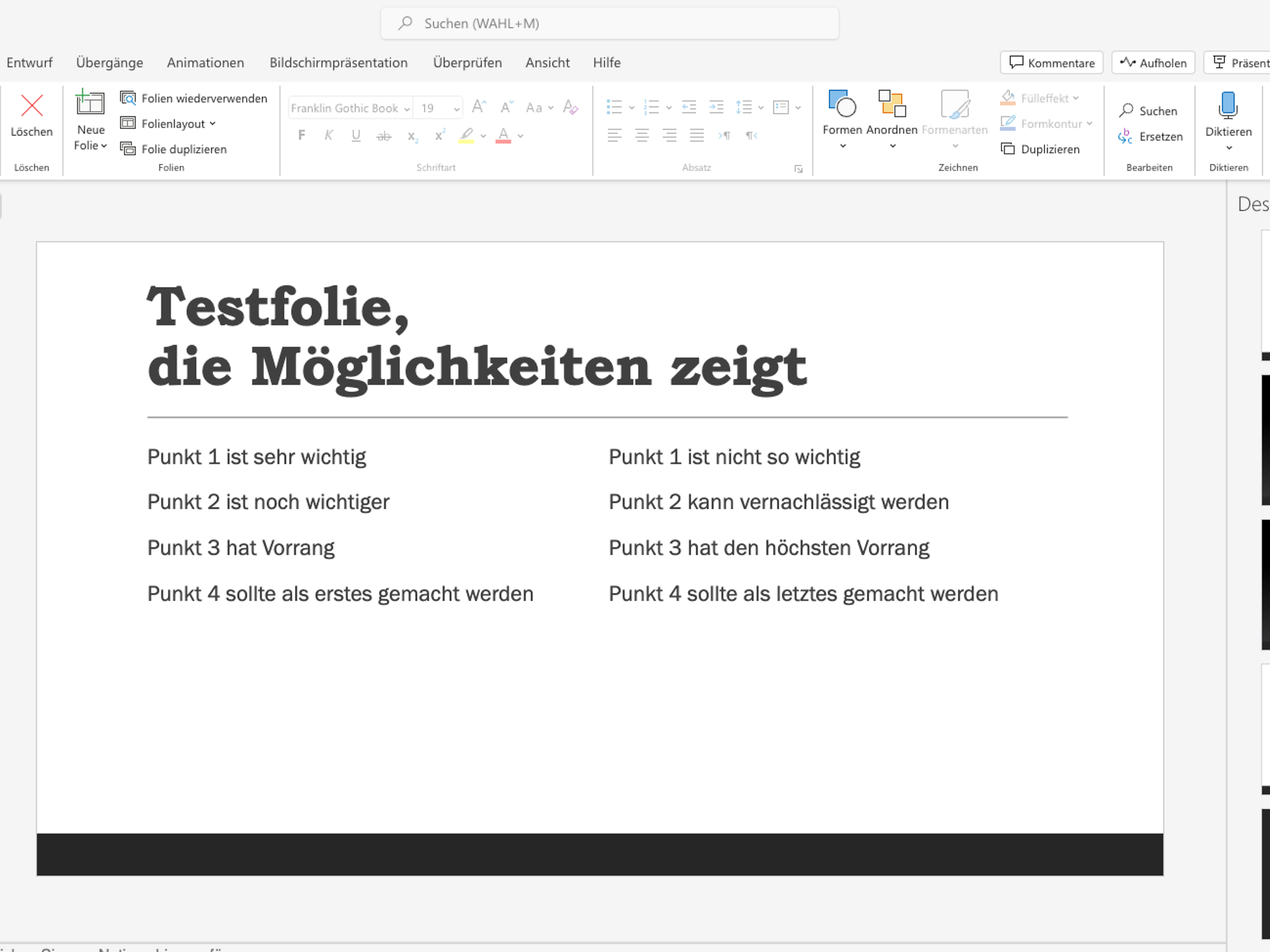
PowerPoint also offers the option of creating automatic layouts. Based on the text entered and the images used, the AI generates optimised layouts that enhance the visual appeal of the presentation. This feature ensures that even complex information can be presented in a clear and structured manner.
Another feature is presentation coaching. This function provides real-time feedback while practising a presentation. It gives tips on the use of filler words, speaking speed and language style. This helps to improve presentation skills and ensure that the message is conveyed clearly and convincingly.
The live captioning and translation features are also noteworthy. During a presentation, AI can caption spoken words in real time and even translate them into different languages. This not only increases accessibility but also improves comprehensibility. In summary, these AI features make PowerPoint an even better tool for creating and delivering presentations.
Microsoft 365 offers Microsoft Copilot, a powerful AI feature that supports you in your daily work. Did you know that you can use certain features of Microsoft Copilot without having to license the add-on for Microsoft 365? With Microsoft 365 Copilot Chat provides you with a chat environmentbased on GPT-4. This allows for easy use of AI without any prior commitment. While Copilot Chat offers basic AI support, Microsoft 365 Copilot the more comprehensive solution with advanced features such as email summaries, meeting reviews and Excel data analysis.
Users with a valid licence, such as Microsoft 365 Business, Microsoft 365 Enterprise or Office 365 E3 and E5, can use these free Copilot features, including commercial data protection . This ensures that neither inputs nor responses are stored and that Microsoft has no access to the chat data. Furthermore, this data is not used to improve language models, which provides additional protection for sensitive company information.
The integration of artificial intelligence into Microsoft 365 is revolutionising the way we work. Features such as intelligent word processing in Word, advanced data analysis in Excel and creative design suggestions in PowerPoint already demonstrate how AI can simplify our everyday work.
CopilotMicrosoft 365 Copilot goes far beyond the AI features already integrated and takes your productivity to a whole new level. While Microsoft 365 primarily offers basic AI assistance natively, Microsoft 365 Copilot enables a seamless workflow through full integration with all Microsoft 365 applications. It also offers exclusive features such as personalised recommendations based on your specific data, advanced automation capabilities, and best-in-class security and compliance standards – a decisive advantage for your business.
If you want to take advantage of the comprehensive capabilities of Microsoft 365 Copilot, you can licence it from Telekom. Telekom also offers free consulting to help you get started with AI and answer any questions you may have. Another valuable offering is the Copilot Readiness Assessment, which allows you to check how well your company is prepared for using Copilot. This assessment helps you analyse your infrastructure, processes and goals in order to get the most out of Microsoft 365 Copilot.
Informieren Sie sich zur KI-Lösung und buchen Sie Lizenzen
About Microsoft Copilot
Holen Sie sich Unterstützung von den Experten der Telekom.
Assessment: Successfully implementing Microsoft Copilot
Sie haben Fragen oder Anliegen, nutzen Sie unser Kontaktformular.
Register now